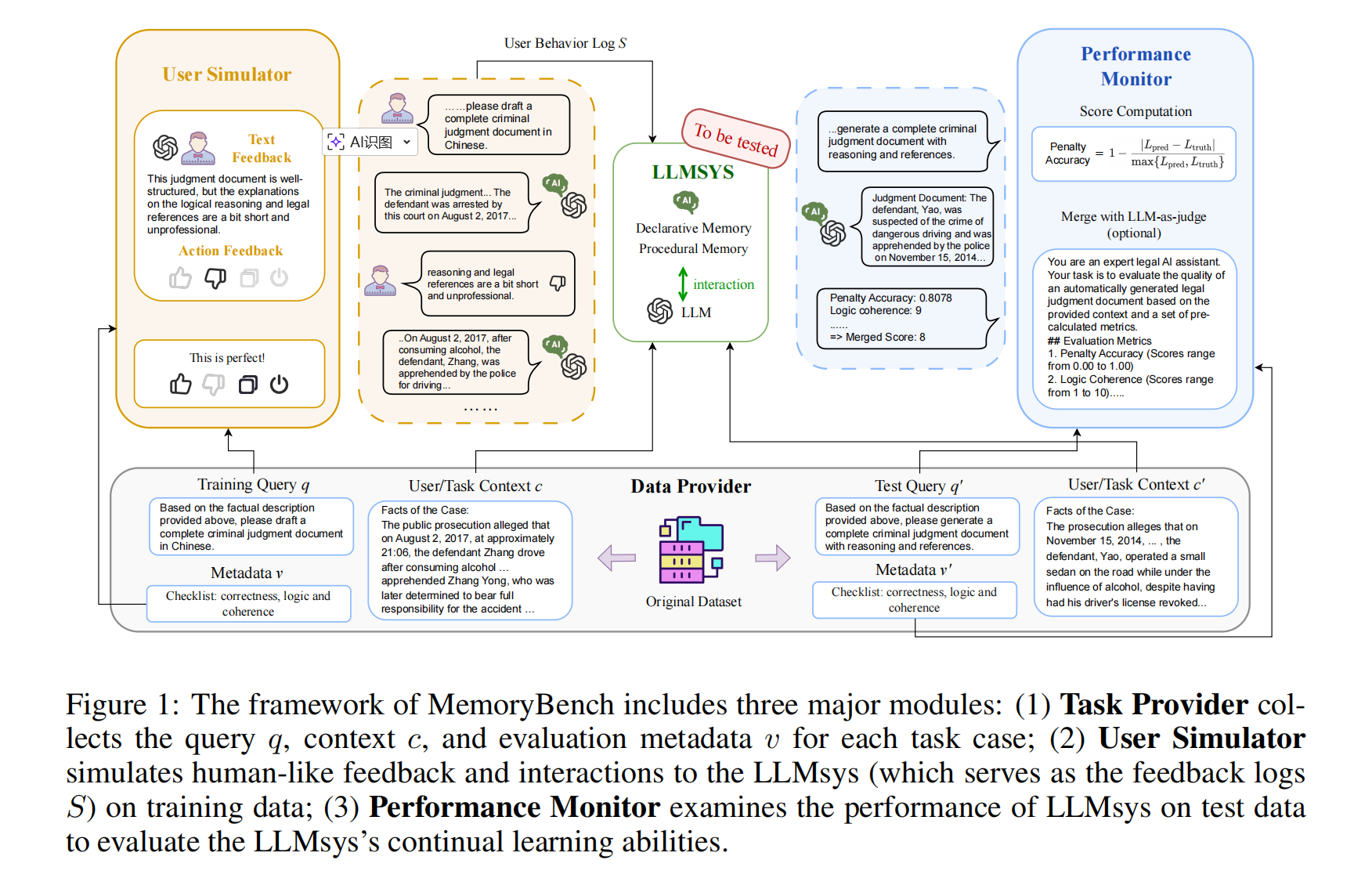
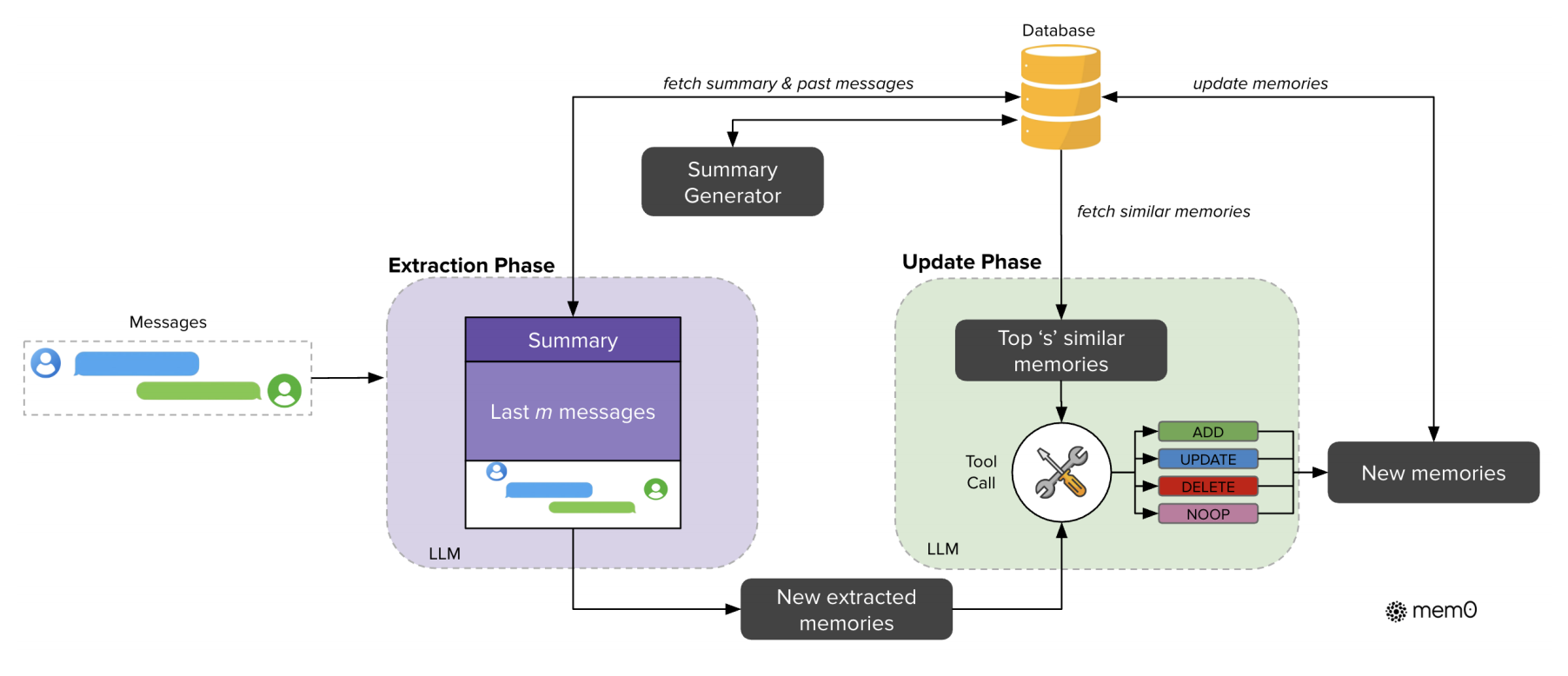
Using function_calling simply
function_calling 允许我们在调用模型 API 构建 Agent 工作流时,能够自定义一些函数(这些函数可以执行并从外部获取相应的信息)以供模型使用。
举例来说,假设我们有一个实时更新的数据库,我们希望模型在回复我们问题的时候能够实时获悉数据库当前的内容。此时我们可以编写一个预定义好的数据库内容获取函数作为 tool,并在调用模型 API 时传入该 tool,模型可以利用当前预定义好的函数,在回复过程中执行函数并获取其结果作为后续回复的依据。
简单编写一个 Agent 示例以呈现 `function_calling 的使用:
from openai import OpenAI

from dotenv import dotenv_values

import json


key_value = dotenv_values(".env")


client = OpenAI(

    base_url="https://api.deepseek.com",

    api_key=key_value["API_KEY"],

)


tools = [{

    "type":"function",

    "function": {

        "name": "get_current_weather",

        "description": "获取当前城市的天气情况",

        "parameters": {

            "type": "object",

            "properties": {

                "city": {"type": "string", "description": "The city to get the weather for"},

                "country": {"type": "string", "description": "The country to get the weather for"}

            },

            "required": ["city", "country"]

        }

    }

},

]


messages = [

    {"role": "user", "content": "北京现在的天气如何?"}

]
tools 是一个工具列表,这里预先定义好我们已有的所有函数,并在调用模型时传入。模型底层会解析这个工具列表,并在后续回复时传入到提示词上下文里。
举例来说,在底层系统会构建一个这样的提示结构:
系统提示词: 你是一个有帮助的AI助手,可以调用工具来帮助用户。
你可以使用以下工具:

工具1: get_weather
描述: 获取指定城市的天气信息
参数:
  - location (string): 城市名称 [必需]
  - unit (string): 温度单位,可选值: celsius, fahrenheit

工具2: get_stock_price
描述: 获取股票当前价格
参数:
  - symbol (string): 股票代码 [必需]
  - exchange (string): 交易所,可选值: NYSE, NASDAQ, SSE, SZSE

用户输入: 北京天气怎么样?

请根据用户需求决定是否调用工具。如果调用,请严格按照JSON格式输出函数名和参数。
接下来我们调用模型并获取模型的回复,模型的回复过程是一个循环过程。模型在收到用户 query 时,首先会自主判断回答当前的查询是否需要使用预定义好的函数来获取信息。判断完成后,模型首次回复会输出工具调用信息(如函数名,函数所需参数等)。
接下来,代码会解析模型当前输出,并提取 function_name 等参数,映射到代码里预定义的函数并执行。接下来,将执行结果附加到下一个提示词里并输出。
# 这一步是调用模型,并返回工具调用信息

# response是模型针对messages的回复,其中包含了工具调用信息

# 后续将这个回复加入到新的messages中,并再次调用模型,直到模型不再返回工具调用信息

# 此时,模型返回的content就是最终的回答

response = client.chat.completions.create(

    model="deepseek-chat",

    messages=messages,

    tools=tools,

    tool_choice="auto",

)


# 打印内容:工具调用信息

# 这里的tool_calls是一个列表,列表中每个元素是一个字典,字典中包含工具名称和工具参数

# 例如:

# [{'name': 'get_current_weather', 'arguments': '{"city": "北京", "country": "中国"}'}]

print(response.choices[0].message.tool_calls)


def get_current_weather(city: str, country: str):

    return f"The weather in {city}, {country} is sunny."


tool_call = response.choices[0].message.tool_calls[0]

tool_name = tool_call.function.name

tool_args = json.loads(tool_call.function.arguments)


print(tool_name, )

print(tool_args)


print(tool_call.id)


function_call_result=get_current_weather(tool_args["location"], tool_args["country"])

print(function_call_result)


mesages = messages.append(response.choices[0].message)


messages.append({

    "role": "tool",

    "content": function_call_result,

    "tool_call_id": tool_call.id

})


res = client.chat.completions.create(

    model="deepseek-chat",

    messages=messages,

)


print(res)

print(res.choices[0].message.content)
由此往复,模型最终输出的结果就是在回复中途调用了预定义函数并获取了其执行过程的结果。
How to train a model with function_calling
那么,如何让模型具备 function_calling 能力呢?
我们知道,大模型的工作过程是一个又一个不断预测下一个 token 的概率,进而生成大量文本。其本身并不具备执行函数的能力。因此这个执行函数的操作实际上是在我们所编写的代码里完成的。而模型所要做的则是输出“当前回复所需的函数调用信息”的文本。
因此,我们可以通过 SFT(监督微调)或 RLHF(人类反馈的强化学习微调)来使模型具备输出这种文本模式的能力。其关键就在于构建并处理相对应的数据,在后训练中使模型生成 xml 或 json 格式的函数调用信息文本。
下面是一个数据集构建示例:
"""
Fucntion Calling模型如何训练?
并不是让模型具备执行函数的能力,而是让模型学会输出包含函数调用信息的回复:
{函数名、函数参数...}
处理数据、训练模型、评估模型、部署模型...关键在于“数据如何制备”
"""
from enum import Enum
from functools import partial
import pandas as pd
import torch
import json
from transformers import AutoModelForCausalLM, AutoTokenizer, set_seed
from datasets import load_dataset
from trl import SFTConfig, SFTTrainer
from peft import LoraConfig, TaskType
seed = 42
set_seed(seed)
import os
import subprocess
import os
# 这是 aistackdc 用于 Github/huggingface 下载加速的方式
result = subprocess.run('bash -c "source /etc/network/turbo && env | grep proxy"', shell=True, capture_output=True, text=True)
output = result.stdout
for line in output.splitlines():
if '=' in line:
var, value = line.split('=', 1)
os.environ[var] = value
model_name = "Qwen/Qwen2.5-0.5B-Instruct"
dataset_name = "Jofthomas/hermes-function-calling-thinking-V1"
tokenizer = AutoTokenizer.from_pretrained(model_name)
# 备注:这里的 model
tokenizer.chat_template = "{{ bos_token }}{% if messages[0]['role'] == 'system' %}{{ raise_exception('System role not supported') }}{% endif %}{% for message in messages %}{{ '<|im_start|>' + message['role'] + '\n' + message['content'] | trim + '<|im_end|>\n' }}{% endfor %}{% if add_generation_prompt %}{{'<|im_start|>assistant\n'}}{% endif %}"
def preprocess(sample):
messages = sample["messages"]
first_message = messages[0]
# Instead of adding a system message, we merge the content into the first user message
if first_message["role"] == "system":
system_message_content = first_message["content"]
# Merge system content with the first user message
messages[1]["content"] = system_message_content + "Also, before making a call to a function take the time to plan the function to take. Make that thinking process between <think>{your thoughts}</think>\n\n" + messages[1]["content"]
# Remove the system message from the conversation
messages.pop(0)
return {"text": tokenizer.apply_chat_template(messages, tokenize=False)}
dataset = load_dataset(dataset_name)
dataset = dataset.rename_column("conversations", "messages")
print(preprocess(dataset["train"][0]))
def convert_model_to_assistant(sample):
messages = sample["messages"]
for message in messages:
if message["role"] == "model":
message["role"] = "assistant"
if message["role"] == "human":
message["role"] = "user"
return sample
dataset = dataset.map(convert_model_to_assistant)
print(dataset['train'][0])
dataset = dataset.map(preprocess, remove_columns="messages")
dataset = dataset["train"].train_test_split(0.1)
print(dataset)
print(dataset["train"][8]["text"])
# Sanity check
print(tokenizer.pad_token)
print(tokenizer.eos_token)
class ChatmlSpecialTokens(str, Enum):
tools = "<tools>"
eotools = "</tools>"
think = "<think>"
eothink = "</think>"
tool_call="<tool_call>"
eotool_call="</tool_call>"
tool_response="<tool_reponse>"
eotool_response="</tool_reponse>"
pad_token = "<|endoftext|>"
eos_token = "<|im_end|>"
@classmethod
def list(cls):
return [c.value for c in cls]
tokenizer = AutoTokenizer.from_pretrained(
model_name,
pad_token=ChatmlSpecialTokens.pad_token.value,
additional_special_tokens=ChatmlSpecialTokens.list()
)
tokenizer.chat_template = "{{ bos_token }}{% if messages[0]['role'] == 'system' %}{{ raise_exception('System role not supported') }}{% endif %}{% for message in messages %}{{ '<|im_start|>' + message['role'] + '\n' + message['content'] | trim + '<|im_end|>\n' }}{% endfor %}{% if add_generation_prompt %}{{'<|im_start|>assistant\n'}}{% endif %}"
Function_calling & MCP
function calling 和 MCP (Model Context Protocol) 都是用来实现模型与函数之间调用连接的。仅仅从工具调用这一点来说,两者其实没有本质上的区别。
因为对于模型来说:做的事情都是一样的,如果 LLM 使用 Function Calling 会遇到问题,那么使用 MCP 也一样会遇到问题。
模型输入:可用的tools + 一个介绍的prompt,但是在prompt上可能有些差异;
模型输出:需要用什么tools or 回复
这是因为 MCP 不是 function calling 的替代,而是基于它的统一的工具箱。
为什么需要 MCP?
实际上在具体的工作场景下,往往我们希望模型调用的 tools 一般不仅仅是自主编写的简单函数工具,而大部分是一些外部工具的 API 服务(比如网页信息搜索,数据库访问等)。在 MCP 出现以前,单纯使用 function calling 的方式面临两大痛点:
- 接口碎片化:每个LLM使用不同的指令格式,每个工具API也有独特的数据结构,开发者需要为每个组合编写定制化连接代码;
- 开发低效:这种”一对一翻译”模式成本高昂且难以扩展,就像为每个外国客户雇佣专属翻译。
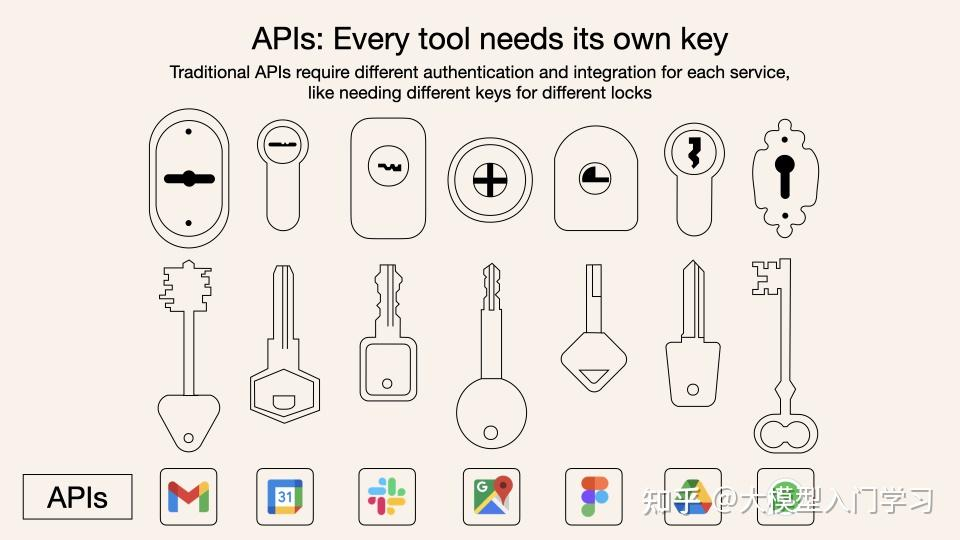
而 MCP 则采用了一种通用语言格式(JSON - RPC),一次学习就能与所有支持这种协议的工具进行交流。一个通用翻译器,不管什么 LLM,用上它就能使用工具 / 数据了。
它的关键价值在于标准化。不管是什么 tools,都必须通过统一的 MCP 协议暴露给模型。
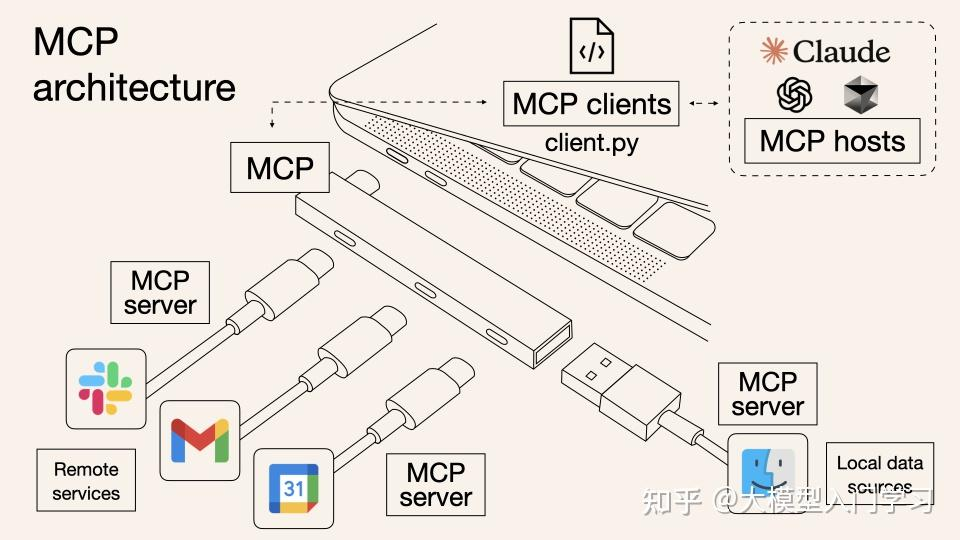
在过去没有MCP时,大模型下发Function Call,Agent去执行翻译,直接连接到API去调用工具。因此,你得为每个API单独设置对应的调用模式,去单独定义工具列表和调用模式,这样Agent才知道怎么去翻译。而有了MCP后,只是很多API都可以直接通过供应商MCP Client一键下单了,Agent省力了。但大模型的Function Call没有任何变化。还是{tool: “买加啡”, “type”: “美式”}这个形式。
MCP 的工作原理
MCP 的架构主要有三部分:Host、Client、Server。
Host 是运行 AI 应用的主程序(如 Claude Desktop,Agent程序等),Client 层嵌入在 host 里,负责管理连接和通信, Server 层则提供具体的工具实现。
MCP 实现的通信是 Host 中的 Client <-> 外部的 Server 之间的双向通信。
举例来说,当模型判断需要调用某函数功能来获取结果时,需要先通过 MCP Client,使用统一格式向 MCP Server 发送 JSON-RPC 请求,Server 接收请求并解析参数后,返回结果给 Client。
这个过程最大的特点就是标准化。正常我们在编写 function calling 使模型具备工具调用能力时,我们需要手动编写工具并传入给模型。由于不同的 API 需求格式可能也会有所不同,倘若更换模型和平台,那么编写逻辑也要对应修改。

而使用 MCP 的好处是,模型 API 调用工具时,都统一通过 MCP Client 向工具 Server 发送格式统一的请求,在不同场景时,只需统一使用 Client,即可向 Server 发送请求,而不必不断重写 tools 的调用逻辑。核心价值:
- 工具复用(不必每次都重新造轮子)
- 自动发现(通过 Client,而不必手写定义)
- 标准化(统一的接口和格式规范)
- 解耦(工具和应用分离)
使用 MCP,Host 可以一次性连接多个 Server,并调用所有 Server 提供的 tools。
一个 MCP 项目示例结构大致如下:
mcp_demo/
├── mcp_server/
│   ├── __init__.py
│   └── email_server.py      # MCP服务器(提供邮件工具)
├── mcp_client/
│   ├── __init__.py
│   └── client.py             # MCP客户端(连接服务器)
├── agent.py                  # AI Agent(使用OpenAI + MCP)
├── config.py                 # 配置文件
├── requirements.txt          # 依赖
└── run_demo.py              # 运行示例
mcp_server 里是 server 类,提供 server 对应的工具列表和工具函数;
mcp_clinet 里是 Client 类,提供与服务器的连接,转发调用请求并向服务器查找对应工具;
Agent 层则编写具体的编排,以及工具调用逻辑:React、multi-agent...
Thoughts
function calling 能让模型具备判断是否、何时调用 tools 的能力,那么借鉴这种思路,能不能通过 SFT 等手段让一个模型具备判断“是否记忆当前消息,记忆什么内容”这样的能力呢?
类似实体提取,假设模型在每一次对话回复完成时,进行一次对记忆的思考与实体提取,然后再在 Agent 工作流中维护一个记忆库,在 chat 过程中自主判断并保存实体记忆数据,是不是也可以做到?
现在的 memory 都是我们自己去定义一个逻辑来记忆,感觉比较死板。因为假如我们希望 LLM 和人一样具备记忆的能力,那么是否记忆当前内容应该也要让其自己决定,而非每一次对话或者几轮对话后再统一去做 mem 操作(比如,我们可以自主决定是否要记忆一个手机验证码,是否要记忆今天吃的饭菜等等)。